VIP data analytics
Make your VIP depletion data useful
Shopra turns the VIP exports your distributors already send into clean depletion, inventory, and outlet reporting, next to your shipments and retail scan.
What is VIP data analytics?
VIP data analytics is the work of turning distributor data from VIP (Vermont Information Processing) into reporting a beverage supplier can act on. VIP is the system many beer, wine, spirits, and non-alcoholic beverage distributors use to run their business, so its exports hold your depletions, distributor inventory, and the retail outlets your product reaches.
What data does VIP provide to suppliers?
Suppliers typically receive a few recurring VIP feeds from each distributor:
- Depletions: what each distributor sold to each retail outlet, by item and invoice date.
- Distributor inventory: on-hand quantities by item, used to calculate days on hand.
- Outlet data: the retail accounts, chains, and addresses behind each sale.
- Item and distributor masters: the codes that tie the other files together.
Why is VIP data hard to use on its own?
VIP exports are built for running a distribution business, not for supplier analysis. The same problems show up for almost every brand:
- Item codes differ by distributor and change over time, so year-over-year comparisons quietly break.
- Units vary between cases, bottles, and cans, so volume has to be converted to case equivalents (CE) before anything adds up.
- Files arrive per distributor and are sometimes resent, which double-counts volume unless duplicates are removed.
- VIP shows depletions only. It cannot tell you whether a miss came from your shipments, distributor inventory, or the shelf.
How do you analyze VIP data?
- Convert every distributor's volume to case equivalents so all distributors report on the same basis.
- Map every item code, old and new, to one product list.
- Remove resent or duplicate files by distributor and invoice date before summing.
- Roll outlets up to chains and channels to see retailer-level trends.
- Compare depletions with your shipments to distributors and with retail scan, so you can tell a sell-in problem from a sell-through problem.
VIP exports vs spreadsheets vs Shopra
| VIP exports alone | Spreadsheets | Shopra | |
|---|---|---|---|
| Depletions by distributor, outlet, and item | Yes | Manual | Yes, refreshed as files arrive |
| Shipments and retail scan in the same view | No | Manual | Yes |
| Item code and unit (CE) harmonization | No | Manual | Automated |
| Duplicate file handling | No | Manual | Automated |
| Where the data lives | Distributor systems | Local files | Hosted securely by Shopra (your own warehouse on Enterprise) |
How does Shopra work with VIP?
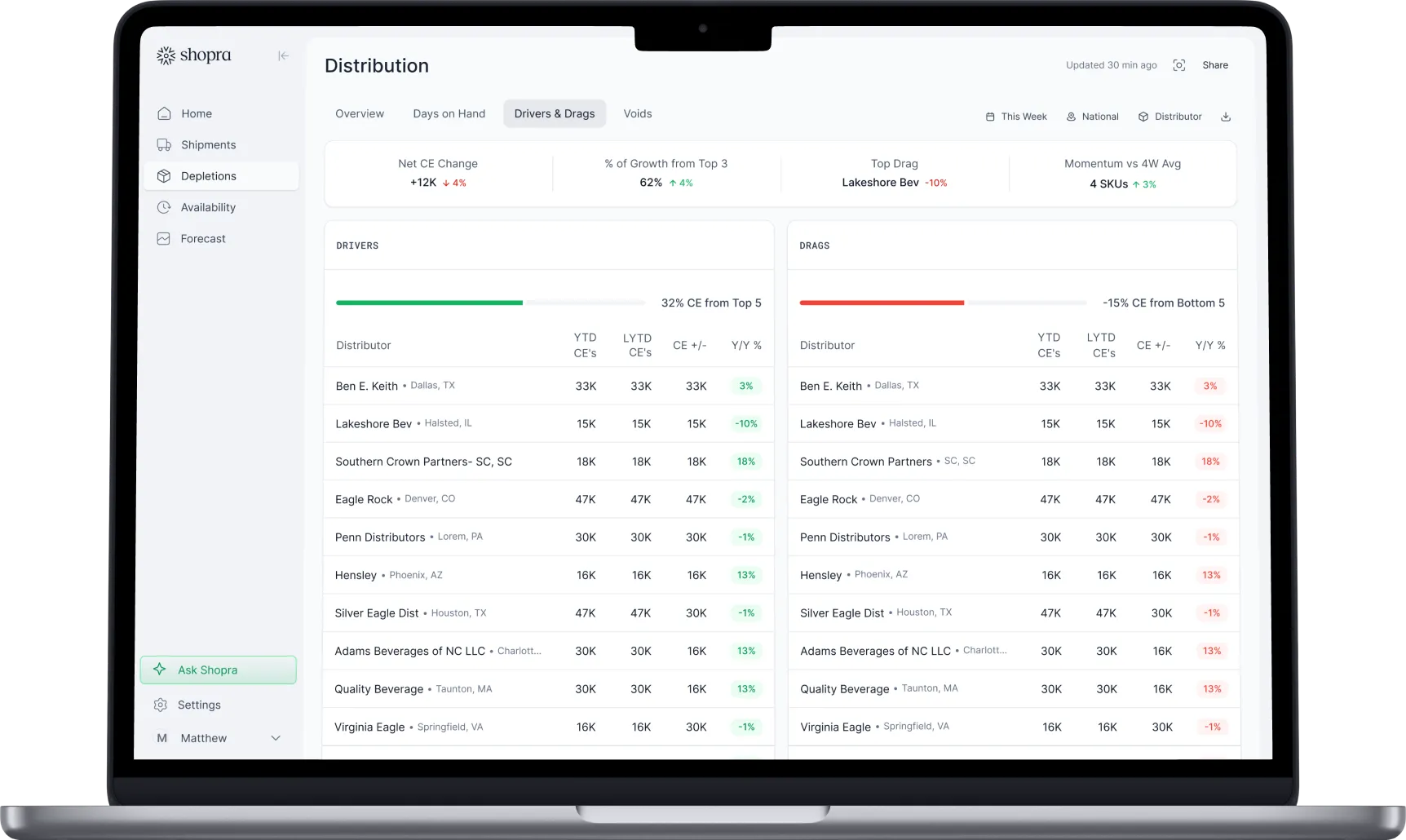
Keep VIP. Shopra ingests the VIP exports your distributors already send, cleans and models them, and puts depletions next to shipments from your ERP and retail scan in one model. Your team sees what is driving and dragging volume by distributor, retailer, and SKU every morning.
Frequently asked questions
Do I need to replace VIP to use Shopra?
No. VIP stays where your distributors run their business. Shopra reads the exports they already send and adds the parts VIP cannot show, such as your shipments and retail scan next to depletions.
What is a case equivalent (CE)?
A case equivalent is a standard volume unit that makes different pack sizes comparable. It is commonly defined as 288 fluid ounces, the volume of a case of 24 12-ounce cans, so a case of 12 16-ounce cans counts as two-thirds of a CE.
Can I see VIP depletions by retail chain?
Yes. VIP outlet data identifies the retail account behind each sale, so depletions can be rolled up from individual stores to chains and channels such as grocery, convenience, and on-premise.
What is the difference between depletions and shipments?
Shipments are what you sell to distributors (sell-in). Depletions are what distributors sell to retailers (sell-through). Comparing the two shows whether distributor inventory is building up or running down.
Integrations
Connect the sources you already run on.
Shipments, depletions, distributor inventory, and retail scan flow in through a mix of near real-time integrations and 24-hour SFTP exports and ingestion, including VIP and Encompass, plus API access and a fast agent backend for querying.


Your data stays yours. Enterprise plans can run on a dedicated Google Cloud warehouse you own.
ready when you are
Turn your data into your next move
See your drivers, your drags, and where to act today.
Get a demo