AI for beverage suppliers
AI for beverage suppliers: here's what's off plan, and why
Shopra joins your shipments, distributor depletions, and retail scan into one model, then gives your team an AI analyst that explains misses by distribution, velocity, or promotions.
How can a beverage supplier use AI?
A beverage brand sells through three tiers: you ship to distributors, distributors deplete to retailers, and retailers scan to shoppers. Each tier reports in a different system. AI helps when it can read all three together and answer the question every sales and planning team asks: are we on plan, and if not, why?
What can supplier teams ask?
- Forecast variance: "Why are depletions behind forecast in the Southeast?"
- Distributor health: "Which distributors are under three weeks of days on hand, or under-ordering?"
- Availability: "Which Walmart stores are out of our top SKUs, and why?"
- The three tiers: "Is this a sell-in problem or a sell-through problem?"
- Promotions: "Did the Q2 promotion lift scan, or just load distributors?"
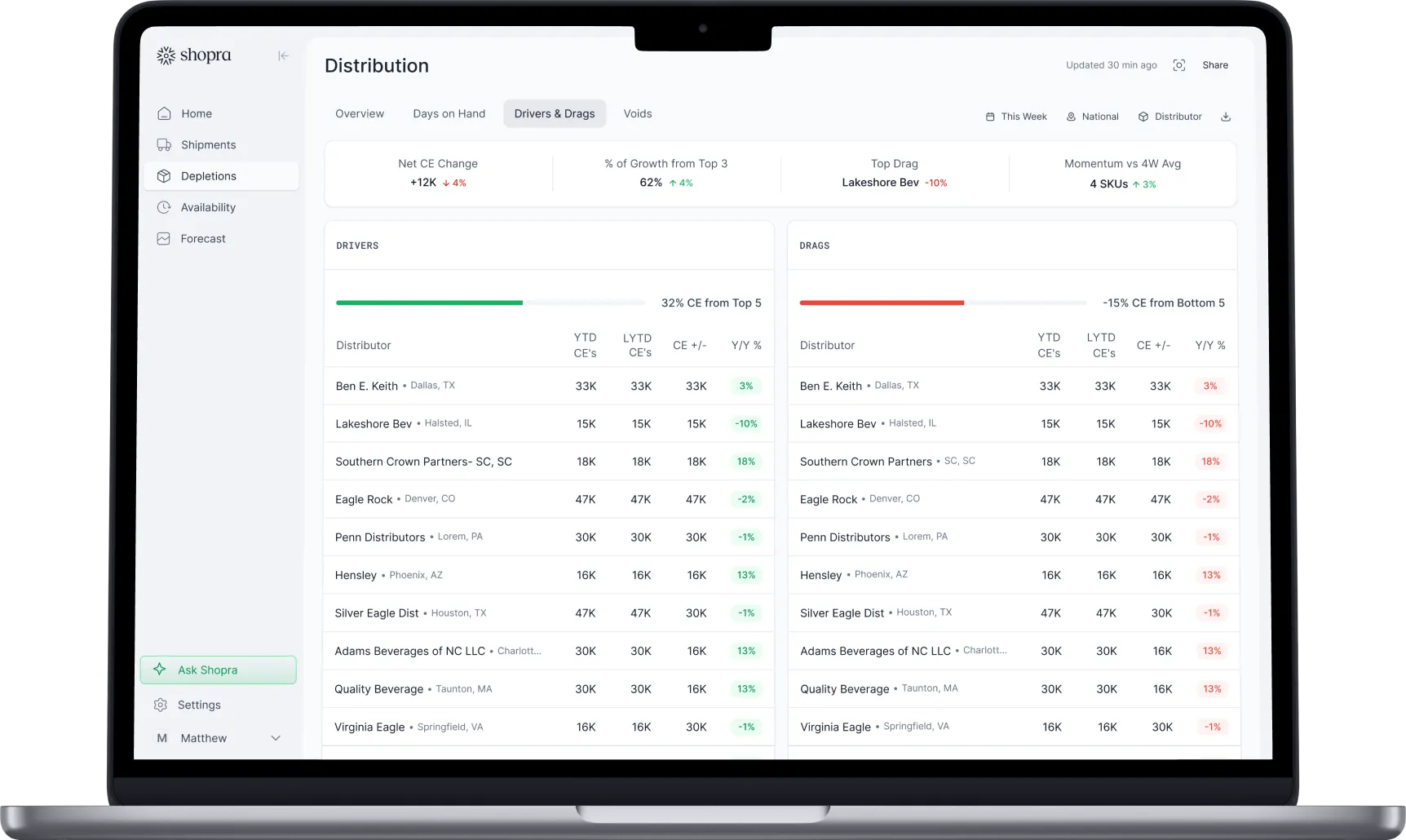
- Reviews: "Draft the drivers and drags for this week's results pack."
Why does generic AI get beverage data wrong?
Beverage data has rules that a general AI tool does not know, and it will not tell you when it breaks them:
- Volume has to be converted to Case Equivalence (CE) before cases, cans, and bottles add up.
- Distributor item codes change year to year, so last-year comparisons quietly understate.
- Shipments, depletions, and scan each run on their own dates and calendars.
- Distributors resend files, which double-counts depletions unless duplicates are removed.
- Retailer and distributor hierarchies overlap, so totals inflate without the right grain.
Shopra applies these rules in the data model, before the AI sees a single row.
How do beverage suppliers get started with AI?
- Start with the meeting that hurts most, usually the weekly or monthly forecast review.
- Connect shipments from your ERP, depletions from VIP or Encompass, and scan for your key retailers.
- Map products across every code and convert volume to CE in one model.
- Turn on an AI analyst that answers from that model and shows the figures behind each answer.
- Check it against the numbers you report today, then let the team ask its own questions.
Analyst spreadsheets vs Shopra AI
| Analyst spreadsheets | Shopra AI | |
|---|---|---|
| Shipments, depletions, and scan together | Pasted by hand each cycle | One model, refreshed automatically |
| Time to a usable answer | Two to three weeks per report | Minutes, from any page |
| Explains the miss | Depends on who built the sheet | Distribution, velocity, or promotions |
| Out-of-stocks | Found after the shelf is empty | Store-level alerts and distributor scorecards |
| Numbers agree across teams | Rarely | Same definitions everywhere |
How does Shopra AI work for suppliers?
Open chat from any page and it already knows the page, tab, and filters on your screen, so "why is this down?" means what you are looking at. Select a range on a chart and ask about it. Attach a distributor report or retailer deck and ask about it next to your data. Shopra Scorecards turn the weekly Walmart and Target in-stock report into one scorecard and one draft email per distributor, and the Shopra MCP server brings the same data into Claude.
Frequently asked questions
Do we need to replace VIP to use Shopra AI?
No. Keep VIP and Encompass. Shopra reads the exports your distributors already send and adds your shipments and scan alongside them.
Will the AI's numbers match our WRP and MBR?
Shopra models shipments, depletions, and scan with the same definitions your dashboards and business reviews use, so the AI answers from the same numbers. We check against your existing reports during onboarding.
Is Shopra a forecasting tool?
No. Shopra explains why performance diverged from your own forecast: missing distribution, out-of-stocks, delayed shipments, velocity decline, or promotion results.
Can the AI change our data?
No. Shopra AI and the MCP server are read-only. They query and summarize but cannot edit records or change settings.
How fast can we start?
The same day from file uploads, with live connections following during onboarding. New customers can try Shopra free for 60 days, with setup included, and the 60 days start at go-live.
Integrations
Connect the sources you already run on.
Shipments, depletions, distributor inventory, and retail scan load every day through SFTP exports and direct connections, including VIP and Encompass.


Your data stays yours. Enterprise plans can run on a dedicated Google Cloud warehouse you own.
ready when you are
Turn your data into your next move
See your drivers, your drags, and where to act today.
Get a demo