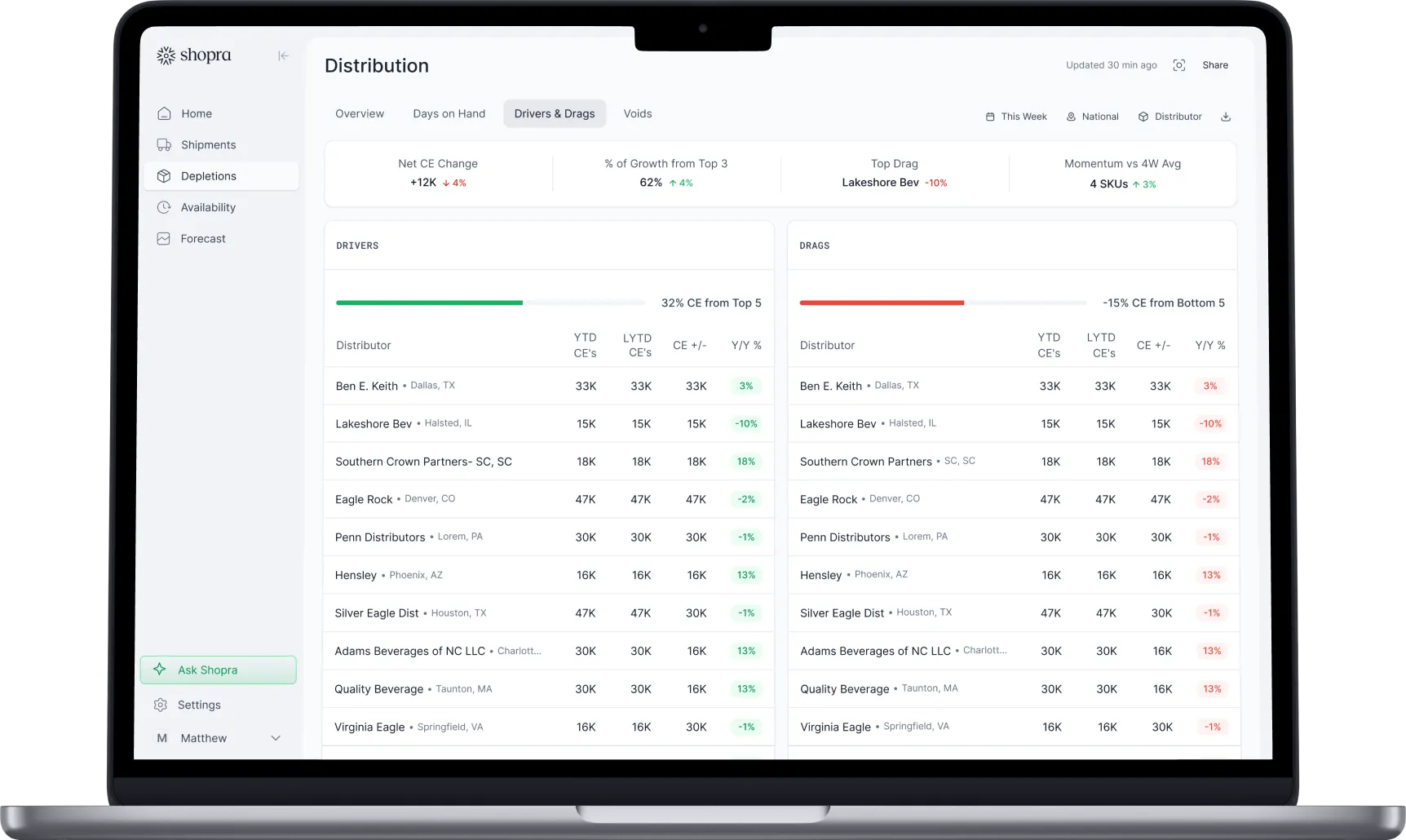
Shopra Scorecards
One scorecard and one email per distributor, every week
Shopra turns the weekly Walmart and Target in-stock report into a scorecard for each distributor and a draft email your rep sends from their own inbox. Every out-of-stock comes with the store, the item, and the likely reason.
What is Shopra Scorecards?
Shopra Scorecards turns a retailer's weekly store-level in-stock report into one scorecard and one ready-to-send email per distributor. It is built for brand sales teams, usually regional distributor managers, who need distributors to fix out-of-stocks on mandated items at large-format chains like Walmart and Target.
Instead of one national report that everyone has to dig through, each distributor gets its own stores, its own items, and a short list of what to fix first.
Why don't out-of-stock emails get results?
Most brands already send distributors in-stock numbers. The way they send them gets in the way:
- Screenshots of a national report: a small snip pasted into a group email. Distributors can't find their own stores, reply "that's not my store", or skip an email that wasn't written to them.
- A number with nothing behind it: "you have 8 mandates never bought" gives a distributor nothing to act on without the list of stores.
- Two retailers, two formats: Walmart and Target reports are laid out differently, so the same ask reads like two different programs.
- Counts that drift: hand-filtering the retailer export overcounts, and summary tabs can quietly drop items.
- Hours every Monday: filtering, splitting, and writing one email per distributor, every week.
How does Shopra Scorecards work?
- Upload the weekly retailer in-stock file, the Walmart or Target store-by-item report, or load it from your data warehouse.
- Shopra counts mandated items the same way every week and joins each one to the distributor's last delivery from VIP depletion data.
- Every distributor gets a scorecard and a draft email.
- Your rep reviews the draft, opens it in their own email, and sends it.
What is on each distributor's scorecard?
- In-stock % on mandated items.
- Store and item counts behind that number.
- Points above or below the national average.
- Rank among all distributors.
- Change vs last week.
- In-stock by portfolio category.
For example, a distributor with 55 Target stores at 89.5% in stock sees that it is 6 points above an 83.5% national average, where it ranks, and which category is holding it back.
How does Shopra explain why an item is out?
Shopra checks how many days it has been since the distributor last delivered the item to that store. Each answer points to a different fix:
| Last delivery to the store | What it usually means | The ask |
|---|---|---|
| In the last 10 days | Delivered, but still out | Send more cases |
| 11 to 21 days ago | Not getting there often enough | Deliver more often |
| 22 to 199 days ago | Too few cases, too far apart | More cases, more often |
| 200 or more days ago | A "ghost" mandate: on the list, not on the shelf | Bring the item back in |
| Never | Mandated but never delivered | Fill it, or tell us the mandate is wrong |
What does the distributor email include?
- The goal, for example 90% in stock.
- How the distributor compares with the national average.
- In-stock by category.
- The top stores to visit under each reason, with the items each store is out of.
- Walmart and Target in one email, with a section for each.
- An Excel workbook with every store and item, ready to attach.
Who sends the email?
A person always does. Shopra never emails distributors on its own. The draft opens in Gmail, Outlook, or the mail app from the rep's own account, addressed to the distributor's saved contact. The distributor replies to someone they know, with things like "that SKU won't scan" or "we were just there." That relationship is the point.
Each rep sees scorecards for their own distributors only. The goal, for example 90%, is set once for the whole team.
Shopra Scorecards vs spreadsheets
| Spreadsheets and screenshots | Shopra Scorecards | |
|---|---|---|
| What each distributor gets | A snip of the national report | Its own scorecard and email |
| Stores behind each number | Built by hand, if at all | Every store and item included |
| Why an item is out | Not shown | Reason from days since last delivery |
| Walmart and Target | Two formats, two emails | One email, one section each |
| Counting mandated items | Hand filters that overcount | Same rules every week |
| National average, rank, change vs last week | Extra work, often skipped | Calculated for every distributor |
| Monday effort | Hours of filtering and writing | Upload, review, send |
| Who sends it | The rep | The rep, from their own inbox |
How can I start without Shopra?
Start with the free Distributor Scorecard template. It is an Excel sheet with one row per distributor for shipments, depletions, days on hand, PODs, and out-of-stocks. When building store lists by hand every week gets too slow, Shopra Scorecards builds them from the retailer file.
Frequently asked questions
Which retailers does Shopra Scorecards cover?
Walmart and Target today, from their weekly store-by-item in-stock reports.
Does Shopra email distributors automatically?
No. Shopra writes the draft. Your rep opens it in their own email, reviews it, and sends it. Replies go straight to the rep.
What data does it need?
The weekly retailer in-stock file and VIP depletion data. Shopra uses VIP to find the last delivery of each item to each store.
What is a mandated item?
An item the retailer requires a store to carry. In-stock % counts only mandated items, at the stores where they are mandated.
Is this the same as the free Distributor Scorecard template?
No. The template is an Excel sheet you fill in by hand, one row per distributor. Shopra Scorecards builds an in-stock scorecard and email for every distributor from the retailer file.
What is on the roadmap?
A roll-up email for regional managers with a ranked list of their distributors, a 7-Eleven fill-rate scorecard on its own schedule, and flags for stores with negative on-hand that need an inventory correction.
Integrations
Connect the sources you already run on.
Shipments, depletions, distributor inventory, and retail scan load every day through SFTP exports and direct connections, including VIP and Encompass.


Your data stays yours. Enterprise plans can run on a dedicated Google Cloud warehouse you own.
ready when you are
Turn your data into your next move
See your drivers, your drags, and where to act today.
Get a demo